Correcting with a control, not another prompt
When a result is wrong, the usual fix is to explain it again. Show what the assistant understood, and let people change that instead.
- Problem
- The assistant's reading of the request is hidden, so the only way to fix it is another prompt.
- Pattern
- Turn what it understood into controls: filters, tags, values the person can edit or remove.
- Tradeoff
- More interface to design. Worth it where corrections are frequent or precise.
Asking a table a question
A sentence typed into an Ask box above a table becomes settings. Each setting appears as a pill the person can inspect, change, or remove.
Here, fictional sales data mirrors a moment in ThoughtSpot Spotter. Asked for "Show me top 5 states by sales in 2024", the assistant carries a monthly grouping into the answer, so the table repeats states by month instead of showing five state totals.
What changes
The assistant's reading becomes something the person can inspect and correct in one step. Remove or change the visible "Group by: monthly" pill, and the table returns to one total per state.
What it doesn't solve
The person still has to notice the wrong pill. Controls make a correction cheap, not automatic. And a control can only fix what it exposes: if the assistant misread something no pill shows, the person is back to prompting.
In other products: corrections attached to the work
A correction that shows as a token: ThoughtSpot Spotter
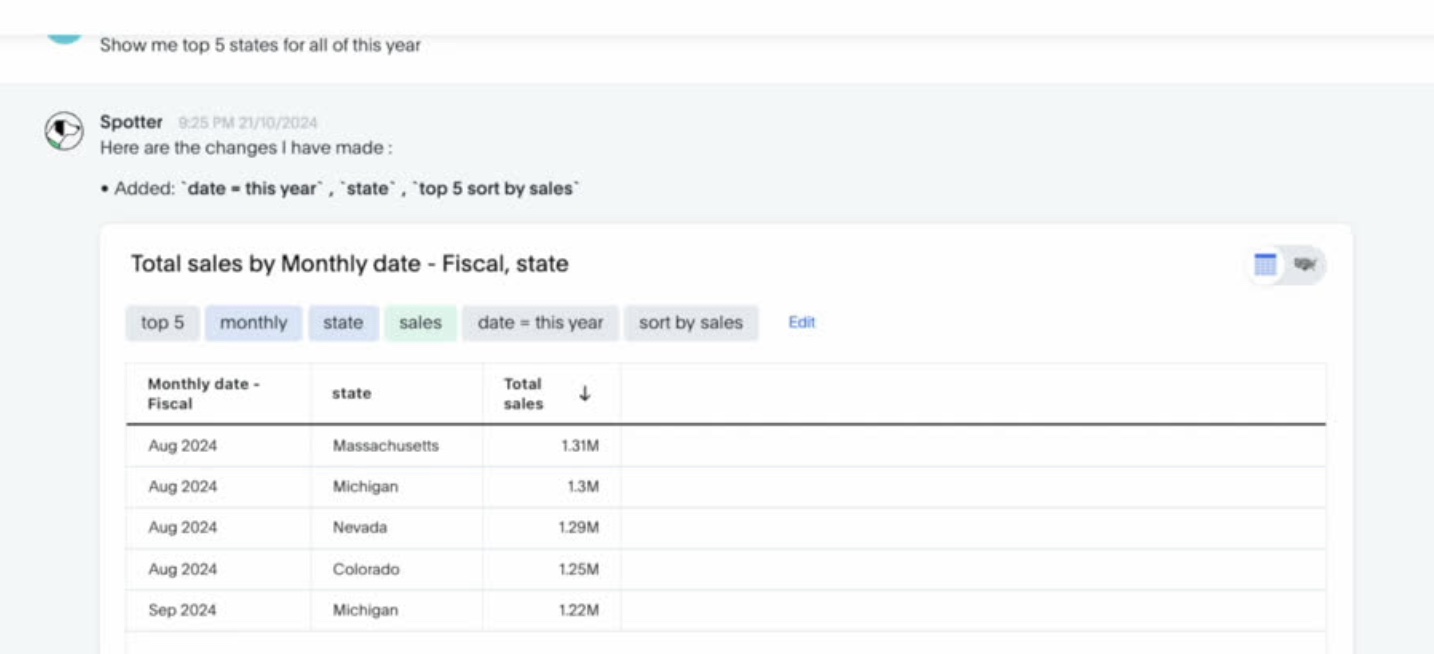

Spotter shows each answer's search tokens above the result. Here, the initial answer includes "monthly". When the person types "I meant aggregated", the reply says what changed, "Removed: monthly", and the token is gone.
The same tokens open in a search editor, where they can be changed by hand, with undo. The correction is made on what the assistant used, not by describing the problem again.
A correction attached to the thing it changes: Antigravity
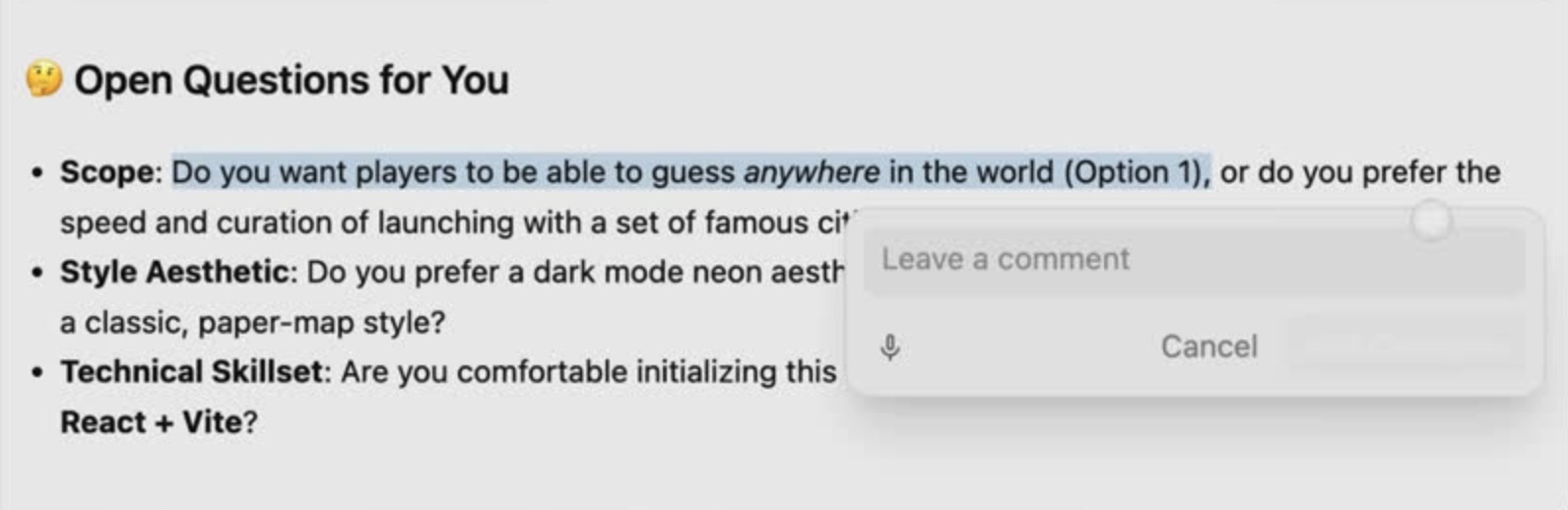
Antigravity lets the person select words in a plan and leave a comment right there. The comment stays attached to the open scope question instead of being restated in chat.
Later, the plan comments travel with the next request to update the plan. The correction has both a location and a path back into the work.
When to use it
Where the assistant turns a request into settings (filters, tags, parameters, detected values) and corrections are frequent or precise. For one-off, open-ended answers, a follow-up prompt may be fine.
Where it fails
The control and the result can disagree. A pill can say one thing while the grid shows another. A control that doesn't match the state is worse than none.
Restating vs. refining. If each new sentence replaces all the filters, refining by typing silently drops earlier ones. If it merges, stale filters linger. Either way, the pills have to show the result.
Only what's exposed can be fixed. Hidden assumptions stay hidden.
Too many controls. Ten pills for a simple question is a form, not an answer.